Last Updated: October 25, 2026
Quick Summary
Cloud storage options for home security systems vary in retention windows (7, 30, or 90 days), cost, and accessibility. Choose cloud storage for remote phone access from anywhere, or local storage for reliability during internet outages and lower long-term costs.
- Cloud storage requires internet but lets you view footage from your phone anywhere, anytime.
- Local storage keeps video accessible even during Wi-Fi outages, which matters during Wisconsin winter storms.
- A 2TB drive on one camera holds about 30 days of continuous 1080p recording; the same drive across four cameras holds roughly one week.
- Most homeowners find 30 days of retention to be the sweet spot for catching package theft or suspicious activity.
- Hybrid systems record to cloud and local storage simultaneously, so footage uploads when your connection returns after an outage.
Table of Contents
- Understanding Home Security System Cloud Storage Options
- Cloud vs Local Storage Security Cameras: Which Fits Your Home
- Security Camera Video Retention: How Long Your Footage Stays Accessible
- Security Camera Recording Without Internet: Offline Backup Options
- Remote Access to Home Security Cameras: Monitoring from Your Phone
- Storage Capacity and Bandwidth: What You Actually Need
- Getting Your Free ADT Security System with Smart Cloud Integration
- Frequently Asked Questions
Understanding Home Security System Cloud Storage Options
Your security cameras are capturing video around the clock. But where does all that footage go, and how long can you access it?
Cloud storage options vary widely in how they work, what they cost, and how much video they keep.

Cloud vs Local Storage Security Cameras: Which Fits Your Home
Cloud storage keeps your video on remote servers maintained by your security provider. Local storage records video directly to a device in your home, like a network video recorder or SD card.
When Cloud Storage Makes Sense
Cloud storage works best when you want access from anywhere, anytime, pull out your phone and see live or recorded footage instantly, with no equipment to maintain at home. It also protects your footage if someone steals your recorder, since the video stays safe on servers far away. The trade-off: cloud storage depends on your internet connection. If your Wi-Fi goes down, you lose real-time access, and extended outages can mean gaps in coverage.
When Local Storage Is the Better Choice
Local storage keeps video in your home on a dedicated device, so footage stays accessible even if your internet drops, reliability that matters during Wisconsin winter storms. It also costs less over time: buy the equipment once and skip monthly storage fees. The downside is that local devices need space, maintenance, and replacement. A full hard drive stops recording, a failed device means lost footage, and you can't check your cameras from your phone unless you're home on the same network.
Security Camera Video Retention: How Long Your Footage Stays Accessible
Video retention is how long your system keeps footage before deleting old video to make room for new.
Retention Windows and What They Cost You Over Time
With cloud storage, retention depends on your plan, 7 days, 30, or even 90. The longer the window, the more you pay monthly. If a break-in happens and you don't notice for two weeks, a 7-day plan won't help. Local storage retention depends on drive size and camera count: a 2TB drive on a single camera might hold about 30 days of continuous 1080p recording, while the same drive across four cameras holds roughly a week. Learn how many security cameras your house needs to determine the right storage capacity for your property. Most homeowners find 30 days to be the sweet spot, long enough to catch package theft or a break-in without paying for excessive storage.
Total Cost of Ownership: Look Past the Monthly Number
A cloud plan's monthly fee is only part of the picture. Compare options by adding up three things over one, three, and five years:
- Equipment, cameras, recorder or hub, and any local drive.
- Subscription, the recurring storage or monitoring fee, multiplied across the years.
- Optional monitoring, professional 24/7 monitoring if you want dispatch, not just recording.
A low monthly storage fee can look cheap until you multiply it across five years and add separately purchased equipment. A professionally installed, monitored system bundles equipment, storage, and 24/7 response into one predictable monthly figure.
Who Owns the Footage, and How You Get It Out
Before signing up for any storage plan, confirm:
- Can you download a clip? You should be able to save a specific recording to your phone or computer, not just view it in an app.
- Can you share it? Police, your insurance company, or a neighbor may need a copy.
- What happens when the subscription ends? Some plans lock you out of older footage the moment you cancel.
A system that lets you view but not export footage holds your evidence hostage.
Privacy and Data Control in Practical Terms
Here's a practical privacy checklist:
- Encryption, footage should be encrypted in transit and at rest.
- Account security, strong password, two-factor authentication where offered.
- Data location, know whether footage sits on servers you don't control and how long it's kept.
ADT's integration with Google Nest brings these controls into the ADT+ app, so cameras, sensors, locks, and lights live in one place with one login.
Protection Pros USA designs systems around the retention window that fits your home and budget, and we explain exactly how footage is stored, accessed, and exported. See our FAQ or learn about us.
Here's how retention windows and storage capacity compare across common setups:
| Setup | Retention | Storage Notes |
|---|---|---|
| Cloud storage plan | 7, 30, or 90 days | Depends on monthly subscription tier |
| Single camera on 2TB drive | About 30 days | Continuous 1080p recording |
| Four cameras on 2TB drive | About 1 week | Continuous 1080p recording |
| Hybrid (cloud + local) | Varies by plan | Records locally during internet outages |
| Motion-triggered recording | Varies by plan | Cuts bandwidth and storage vs 24/7 |
| Single 1080p camera upload | 1-3 Mbps | Continuous streaming bandwidth |
| 2K or 4K camera upload | Higher than 1-3 Mbps | Higher resolution requires more bandwidth |
Security Camera Recording Without Internet: Offline Backup Options
What happens when your internet fails? That matters in Wisconsin, where winter storms and power outages are common. Hybrid systems record to cloud and local storage simultaneously: if your internet goes down, the system keeps recording locally, then uploads the stored footage when your connection returns. Some systems use cellular backup to keep uploading video to the cloud when broadband fails.
Remote Access to Home Security Cameras: Monitoring from Your Phone
Checking your cameras from anywhere is one of the biggest reasons homeowners choose monitored security systems, whether you're at work when your teenager arrives home, on vacation verifying a package delivery, or in bed after hearing a noise outside. Remote access requires cloud storage: your system uploads video to servers, and you access it through an app. ADT with Google Nest integration lets you view live video, review recorded footage, and control other smart home devices from one app.
Storage Capacity and Bandwidth: What You Actually Need
Storage capacity is how much video your system can hold. Bandwidth is how much data your internet connection can upload per second. Get either one wrong and you end up with gaps in coverage, dropped frames, or a monthly bill for space you never use.
Estimate Your Upload Bandwidth First
Cloud recording is an upload job, and most home internet plans are built for download speed, not upload. A common pattern is a cable or fiber plan with fast downloads and a much smaller upload ceiling, and that ceiling is what limits your cameras. As a rule of thumb, a single 1080p camera streaming continuously uses roughly 1-3 Mbps of upload; step up to 2K or 4K and that figure climbs.
Why Motion-Triggered Recording Stretches Everything
Motion-triggered recording only saves video when the camera detects movement. That cuts both bandwidth and storage dramatically compared with 24/7 continuous recording, while still capturing the events that matter, a break-in, a package delivery, a car pulling into the driveway. Many households find event-based recording plus a short pre-roll buffer covers real needs without saturating upload.
Calculate Storage Needs With a Simple Formula
For local or hybrid recording, estimate capacity like this:
- Pick a bitrate per camera (1080p continuous is commonly in the 1-3 Mbps range; higher resolution runs higher).
- Multiply bitrate by 86,400 seconds in a day, then divide by 8 to convert megabits to megabytes, then divide by 1,000 to get gigabytes per day.
- Multiply by camera count.
- Multiply by the number of days of retention you want.
A 2TB drive holds roughly 2,000 GB. Run the math for your camera count and retention target, and you'll see why a single camera on a 2TB drive can hold weeks of continuous video while four cameras on the same drive hold far less.
What Happens During an Internet Outage
This is where cloud-only setups show their weakness. If your broadband drops, cloud uploads stop, and an extended outage means a gap in cloud footage. The fix is a hybrid approach: record to a local device and to the cloud at the same time. When the connection returns, stored footage uploads and you keep a complete record. Cellular backup is another layer, and battery backup (a UPS on your router and recorder) keeps equipment alive through short outages, which matters during winter storms and power interruptions.
Match the System to Your Actual Numbers
Calculating your real needs comes down to three questions: how many cameras, what resolution, and how long you want to keep footage. Protection Pros USA walks through these numbers during a free security assessment and designs a system around your actual bandwidth and storage capacity. See our residential security services or contact us to schedule your assessment.
Getting Your Free ADT Security System with Smart Cloud Integration
When you choose ADT through Protection Pros USA, you get a system built for cloud storage from day one.
Our free system includes a 7-inch ADT Command panel, door sensors, a glass break sensor, and your choice of a Google Nest Doorbell or Google Nest Cam.
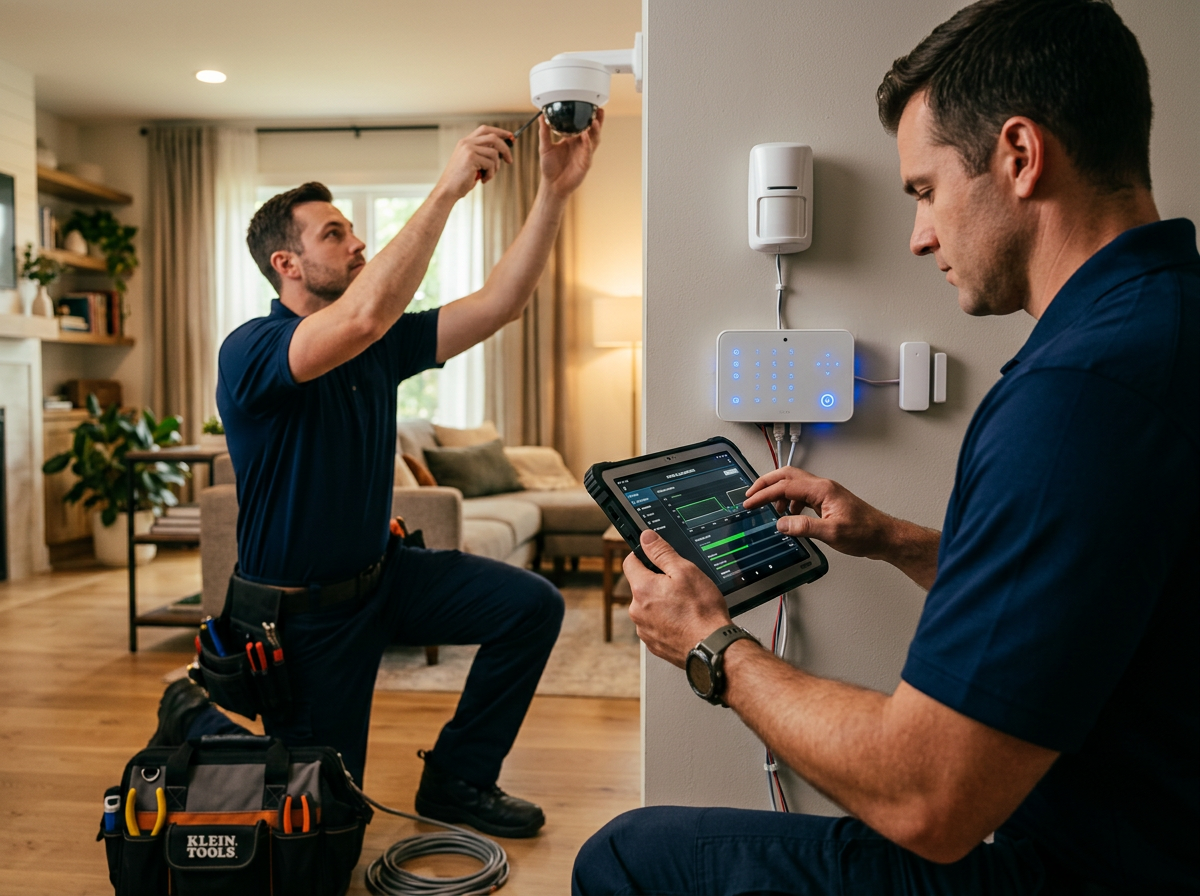
Cloud storage comes standard: your footage uploads securely and you access it from your phone. Our certified security advisors visit your home, identify entry points, and design a system for your property, and professional installation means everything is positioned and connected properly, no DIY guesswork. Contact Protection Pros USA to claim your free system and schedule a free assessment.
Choosing the right cloud storage option for your home security system doesn't have to be complicated.
Get a free full home security system with a $99 installation charge and a new 36-month monitoring agreement at $72.99 per month. Choose your free Google Nest Doorbell or Google Nest Cam. Learn how to set up remote monitoring and understand how many cameras your home needs before you call. Contact us today to get started.
*$99 Customer Installation Charge. 36-Month Monitoring Agreement required at $72.99 per month.
Frequently Asked Questions
What are the main cloud storage options for home security cameras?
Cloud storage for home security cameras typically comes in three forms: manufacturer-provided cloud services (bundled with your camera system), third-party cloud platforms (separate subscriptions), and hybrid solutions that combine cloud and local storage. Most systems offer tiered plans with free basic storage (often 24-48 hours of footage) and paid plans for extended retention. The best option depends on your camera system, how much footage you need to keep, and your internet reliability. ADT systems with Google Nest cameras integrate seamlessly through the ADT+ app, giving you unified remote access and cloud backup in one place.
Is cloud or local storage better for home security footage?
Cloud storage offers remote access from anywhere and automatic backup if your home is damaged, but requires reliable internet and ongoing subscription fees. Local storage (NVR, DVR, or SD cards) works without internet and has no monthly costs, but footage is lost if your equipment is stolen or damaged. Many homeowners choose hybrid storage: local recording for continuous protection and cloud backup for critical events. With ADT's system, you get professional 24/7 monitoring plus cloud integration, so your footage is securely backed up off-site.
Can security cameras record when the internet is down?
Yes, if your system has local storage (NVR, DVR, or SD card). Cameras continue recording to the local device even without internet, then upload footage to the cloud once connectivity is restored. Cloud-only systems cannot record without internet unless they have built-in local backup. This is especially important in Wisconsin, where winter storms and power outages can interrupt connectivity. ADT systems are designed with cellular backup and battery backup, so monitoring continues even if your internet or power goes down.
How long should a home security system keep video recordings?
Most homeowners keep 7-30 days of footage depending on their needs and storage capacity. Free cloud plans typically offer 24-48 hours; paid plans range from 7 days to several months. For incident investigation (theft, break-in), 14-30 days is standard. For continuous monitoring of a business, longer retention (60-90 days) may be necessary. Calculate your needs based on how many cameras you have, their recording resolution, and how often events occur. Protection Pros USA can help you size your system and storage to match your actual security goals during a free assessment.