Last Updated: October 23, 2026
Quick Summary
How many security cameras does a house need depends on your entry points, property layout, and what you want to protect. A small home typically needs two to four outdoor cameras, while a larger two-story home with a garage may need four to six. Placement matters more than quantity, one camera in the right spot beats three in the wrong ones.
- Start by mapping every door and ground-level window on your property; these are your camera priorities.
- A typical single-story home needs two to four outdoor cameras; a two-story home usually needs three to five.
- Mount outdoor cameras 8 to 10 feet high to capture faces and prevent tampering.
- Test each planned camera position using your phone before installation to confirm it covers the area you need.
- Indoor cameras work best in common areas like living rooms and hallways, never in bedrooms or bathrooms.
Table of Contents
- How Many Security Cameras Does a House Need: A Practical Framework
- Security Camera Placement Around Your House
- Home Security Camera Coverage: Mapping Your Perimeter
- Identifying and Eliminating Security Camera Blind Spots
- Indoor Versus Outdoor Security Cameras: Which You Need
- Factors That Determine Your Camera Count
- Building Your Security System: A Step-by-Step Approach
- Get Professional Help Planning Your Camera System
- Frequently Asked Questions
How Many Security Cameras Does a House Need: A Practical Framework
The question isn't really "how many", it's "where and why." Most homeowners buy too many cameras and place them poorly. Then they wonder why they can't see what matters.
How many security cameras does a house need depends on three things: your entry points, your property layout, and what you actually want to protect. A small apartment might need one or two. A two-story home with a detached garage could need four to six. A large property with multiple access points might need more.
At Protection Pros USA, your local ADT Authorized Provider through SafeStreets, we've designed hundreds of systems across Milwaukee and southeastern Wisconsin.
The Starting Point: Entry Points and Property Size
Start by walking your property and counting every door and ground-level window. These are your security camera placement priorities.
Most homes have:
- One front door
- One back door
- One or two side doors (garage, patio, basement)
You don't need a camera on every window, you need cameras on every door and on the areas where someone could break in or hide.
Property size matters, but less than people think.
Typical Camera Counts by Home Type
A typical single-story home needs two to four outdoor cameras; a two-story home usually needs three to five. A detached garage might add one more.
Here's what that looks like:
| Home Type | Outdoor Cameras | Indoor Cameras | Total |
|---|---|---|---|
| 1-story, small yard | 2 | 1 | 3 |
| 1-story, large yard | 3 | 1 | 4 |
| 2-story, standard lot | 3 | 1-2 | 4-5 |
| 2-story, large property | 4 | 2 | 6 |
| Home with garage | +1 | , | varies |
These are starting points, not rules. Your actual number depends on what you see when you walk the property.
Security Camera Placement Around Your House
Placement beats quantity every time. One camera in the right spot beats three in the wrong ones.
Front Entry and Doorways
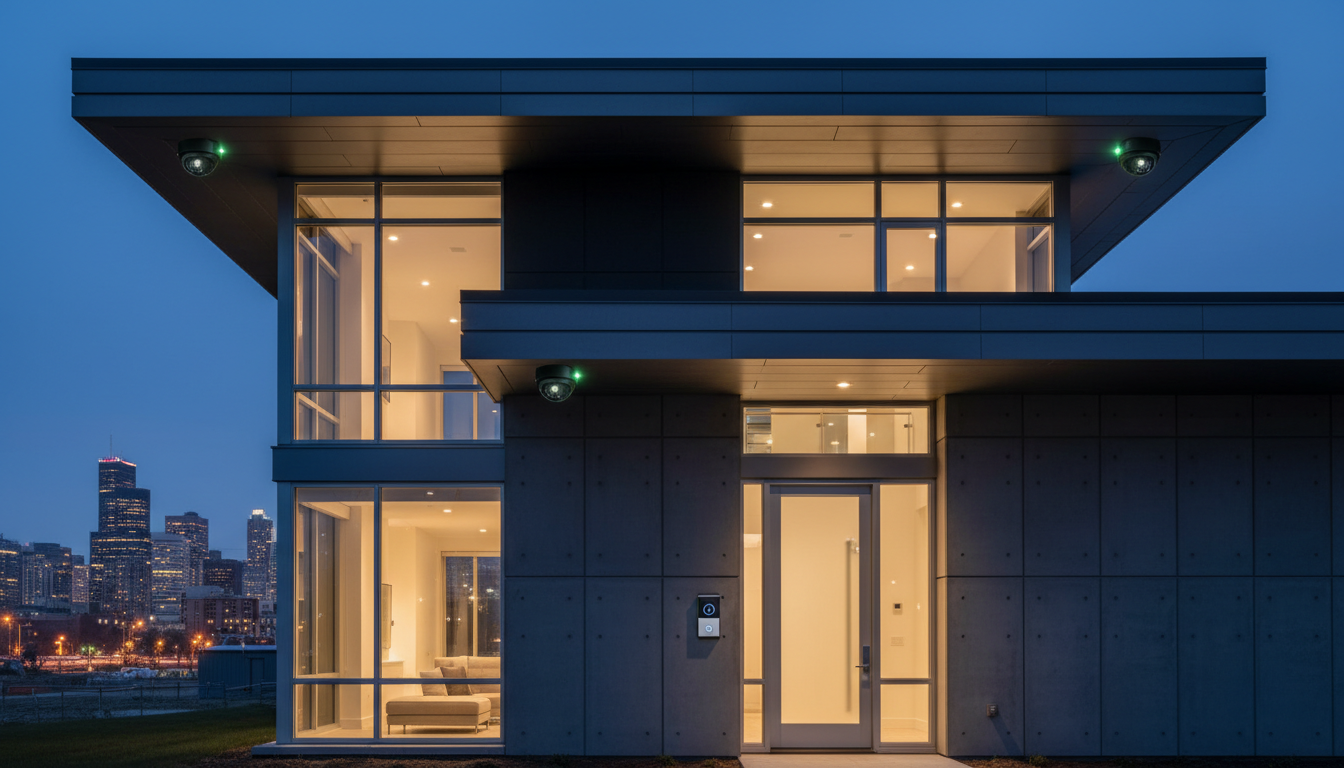
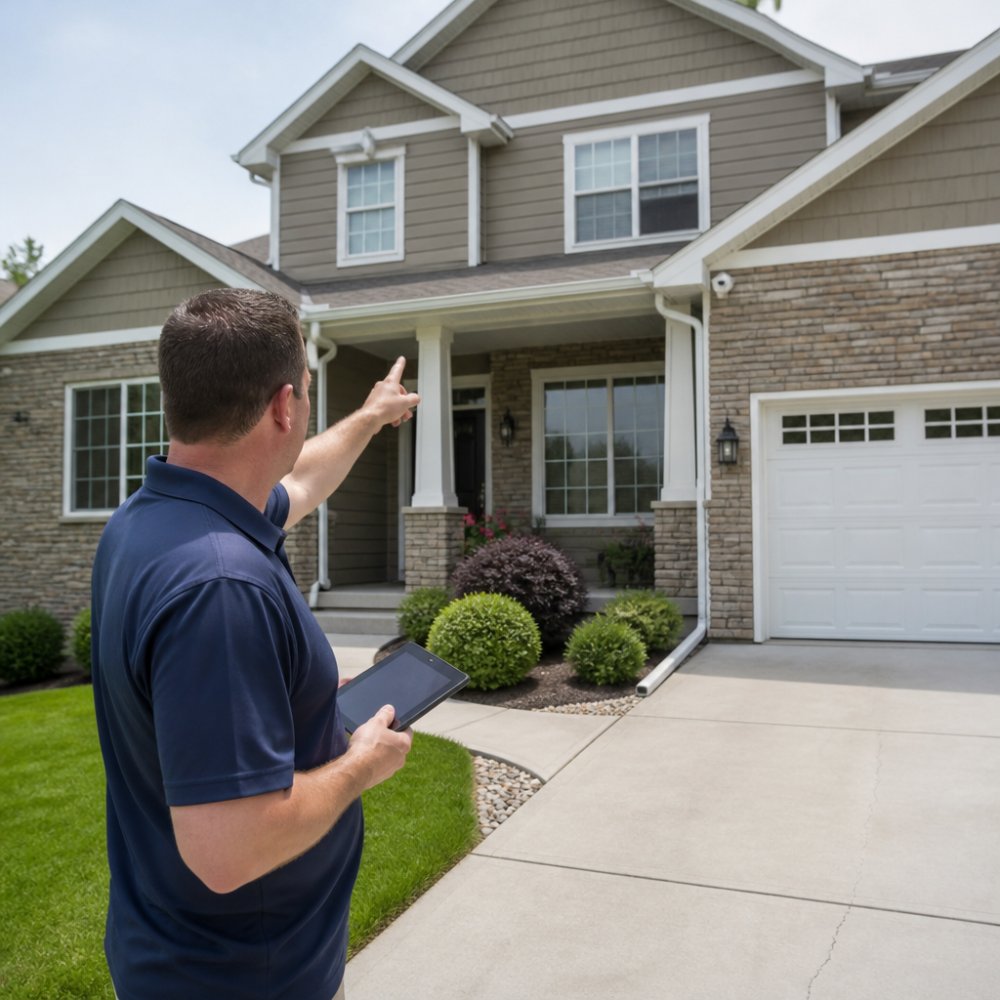
Your front door is the number one target. Put a doorbell camera or a fixed unit above the door, angled down slightly to catch faces and packages.
A front-facing camera should see:
- The front door and porch area
- The walkway leading to the door
- Part of the driveway or street (if visible)
Height matters. Mount it between 8 and 10 feet high. This angle captures faces better than a camera mounted at eye level.
Rear Exits and Side Doors
The back door is the second priority. Burglars prefer it because neighbors can't see it. Place a camera here with the same care as the front.
Back and side doors often have less light. A floodlight camera can illuminate the area and record at night; a standard outdoor camera needs good mounting height and a clear view of the door and ground.
Garage and Driveway Monitoring
A detached garage needs one camera covering the garage door and approach; an attached garage can use an indoor camera watching the entry from inside.
Driveways are theft hotspots, packages and cars sit there. A camera placed high on the house corner or garage catches vehicles and people clearly.
Home Security Camera Coverage: Mapping Your Perimeter
Coverage means seeing what happens around your property. But you don't need to see every inch.
Outdoor Versus Indoor Coverage
Outdoor cameras protect entry points and the perimeter. Indoor cameras watch high-value areas and activity zones inside.
Most homeowners need:
- Two to four outdoor cameras (entry points and perimeter)
- One to two indoor cameras (main living areas or valuables)
A living room camera might catch a break-in in progress; a hallway camera logs who's moving through the house. Many homeowners skip indoor cameras entirely, which is fine if your main concern is preventing entry.
Field of View and Overlap
Every camera has a field of view, the area it can actually see. Wide-angle cameras see more but with less detail. Narrow cameras see detail over a smaller area.
Overlap is when two cameras see the same space. A little fills blind spots; too much wastes cameras.
Identifying and Eliminating Security Camera Blind Spots
A blind spot is an area your cameras can't see. These are where problems happen.
Common Blind Spot Areas
Walk around your house and look for places where someone could hide or enter unseen:
- Corners where two walls meet
- Areas behind bushes or trees
- Alcoves or recessed doorways
These spots don't always need a camera. But you should know they exist. If a blind spot is near an entry point, add a camera or trim the vegetation.
Testing Your Coverage
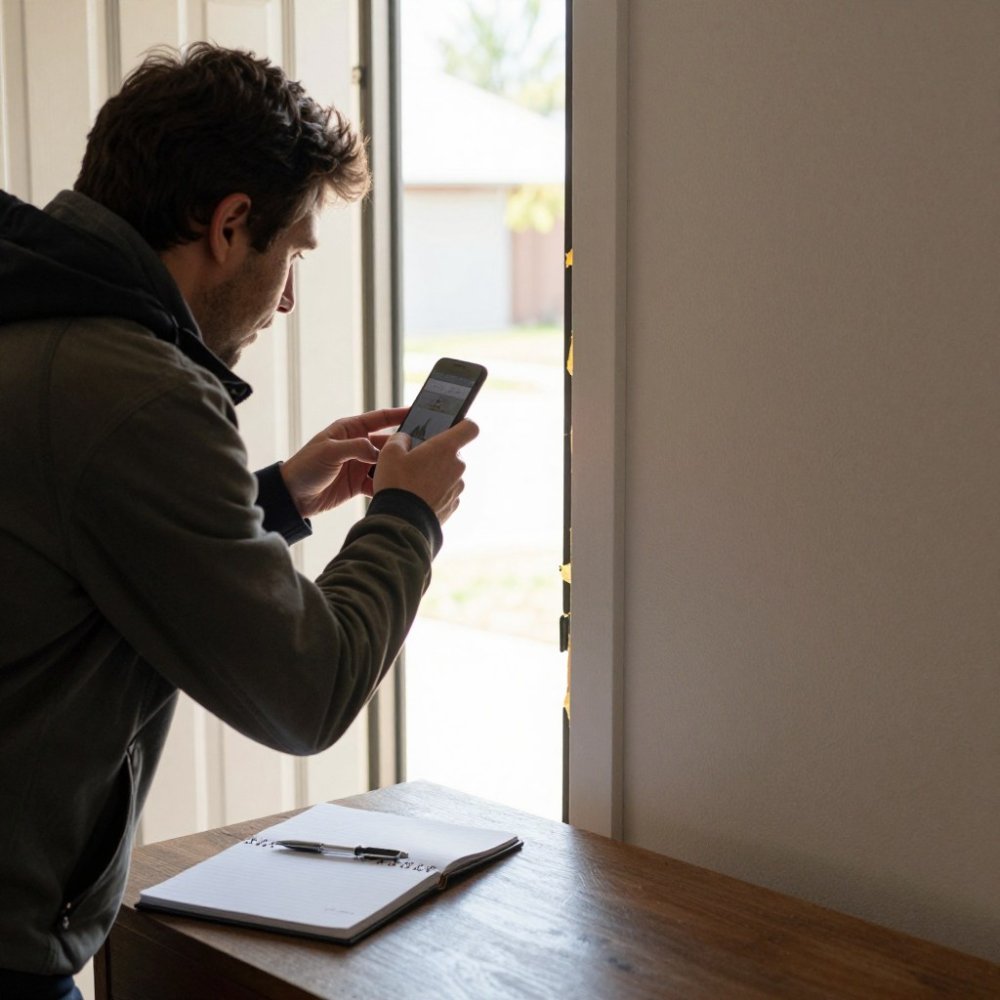
Before installation, test your planned positions using your phone camera to see what each spot would capture.
Stand at each planned location and look through your phone as if it were the camera. Pan and tilt.
This simple test shows you if a camera is too high, too low, or aimed at a wall instead of the area you want to watch.
Indoor Versus Outdoor Security Cameras: Which You Need
Indoor and outdoor cameras have different jobs. Choose based on what you're protecting.
Outdoor Camera Priorities
Outdoor cameras deter crime. The "Secured by ADT" sign and visible cameras tell people your home is monitored. This alone stops many break-in attempts.
Outdoor cameras need:
- Weather resistance
- Night vision (infrared or color night vision)
- Wide field of view to cover entry points
Most homeowners use two to four outdoor cameras. One on the front, one on the back, one on the side or garage, and sometimes one on the driveway or far corner of the property.
Indoor Camera Use and Privacy Considerations
Indoor cameras watch for activity inside. But privacy matters. Many homeowners avoid indoor cameras entirely.
If you use indoor cameras:
- Never place them in bedrooms or bathrooms
- Tell everyone in the house about them
- Use them in common areas: living room, kitchen, hallway
A hallway camera can catch a break-in in progress and help police respond faster, but outdoor cameras alone solve most security concerns for most homes.
Factors That Determine Your Camera Count
The right number isn't random. It comes down to a few real factors.
Home Layout and Floor Plan
A home with multiple entry points needs more cameras. A home with one main entrance needs fewer.
A ranch with a front door, back door, and garage needs at least three outdoor cameras. A condo with one entry might need one.
The shape of your property matters too. A long, narrow lot needs cameras spread out.
Number of Stories and Room Configuration
A two-story home has more surface area. The second floor adds risk.
A single-story home is simpler. Two to three outdoor cameras often cover it completely.
Room configuration affects indoor cameras. An open floor plan lets one camera see multiple rooms. A home with many separate rooms might need more cameras to watch activity.
Neighborhood Risk and Property Vulnerability
Some properties face higher risk. A home on a corner lot is more exposed. A home on a dead-end street is more isolated.
If your property is vulnerable, add cameras. If it's in a safe neighborhood with good sight lines, you might need fewer.
Building Your Security System: A Step-by-Step Approach
The right way to plan your system is methodical. Don't guess. Walk your property. Test. Then decide.
Step 1: Walk Your Property and Map Entry Points
Go outside. Walk around the entire perimeter. Write down every door and ground-level window.
Mark the spots where you'd want a camera:
- Main entry points (doors)
- High-risk areas (back of house, side yards)
- Valuable assets (garage, driveway, garden)
Take photos of each spot. Note the lighting, the distance from the house, and any obstacles (trees, fences, power lines).
Step 2: Prioritize High-Risk Areas
Not all cameras are equal. Front doors matter more than side windows. Garages matter more than the back corner of the yard.
Build your system around priorities:
- Front door (always)
- Back door (almost always)
- Garage or driveway (if you have one)
- Side doors or vulnerable windows (if they exist)
- Additional coverage (if your property is large or exposed)
Start with the essentials. Add more cameras only if you have blind spots or specific concerns.
Step 3: Test Coverage Before Installation
Use your phone camera to simulate each planned position. Stand at the spot. Look through the phone. Does it see what you need?
Adjust the angle. Move left or right. Test different heights. This takes 10 minutes and prevents mistakes.
Step 4: Plan for Growth and Monitoring Integration
A good security camera system works with professional monitoring. If you add cameras later, they should integrate with your existing system.
ADT systems through Protection Pros USA work with Google Nest cameras and doorbells.
Plan your system to grow. Learn whether DIY or professional installation fits your situation and budget.
Get Professional Help Planning Your Camera System
Walking your property and testing positions is smart.
A certified security advisor from Protection Pros USA walks your house with you.
This assessment is free. There's no obligation. We respond within 24 hours.
Many homeowners think they need six cameras. After a professional assessment, they realize four cameras in the right spots do the job. Others discover they need one or two more than they planned.
When you're ready to move forward, see our residential security services or learn how to choose a security provider that fits your needs.
*$99 Customer Installation Charge. 36-Month Monitoring Agreement required at $72.99 per month ($2,627.64).
Frequently Asked Questions
How many security cameras does an average house need?
Most homes need between two and six security cameras, depending on size and layout. A typical single-story home with one main entry point might start with two to three cameras covering the front door, back door, and driveway. Larger homes, properties with multiple stories, or homes with more entry points usually benefit from four to six cameras. The key is covering all entry points and vulnerable areas. Protection Pros USA can assess your specific property and recommend the right number during a free security assessment.
Where should security cameras be placed around a house?
Place cameras at all primary entry points: front door, back door, garage, and side doors. Position outdoor cameras at least eight to ten feet high to prevent tampering and to capture faces clearly. Use doorbell cameras at main entrances for visitor identification. Consider driveway and yard coverage for package theft prevention. Indoor cameras work best in high-traffic areas or rooms with valuable items, though placement should respect household privacy. A professional installation from Protection Pros USA ensures optimal placement for complete coverage.
How do I avoid blind spots when planning home camera coverage?
Walk your property and identify areas cameras cannot see, such as corners, side yards, and areas blocked by trees or structures. Test camera angles before permanent installation to confirm field of view coverage. Use multiple cameras with overlapping coverage to eliminate gaps. Consider the height and angle of each camera to ensure it captures faces and license plates clearly. Blind spots are a common reason homes experience break-ins, so thorough planning is essential. Protection Pros USA specialists can help identify and eliminate blind spots during your free assessment.
Should I put security cameras inside my house?
Indoor cameras are useful for monitoring high-value areas, deterring theft, and protecting against internal security concerns. Place them in living rooms, bedrooms, or home offices only with consent from all household members. Avoid bathrooms and private spaces. Indoor cameras work best as a supplement to outdoor perimeter coverage rather than a replacement. Many homeowners pair one or two indoor cameras with a stronger outdoor system. The free Google Nest Cam or Doorbell included with our ADT system can serve as an excellent starting point for indoor monitoring.