
Last Updated: October 26, 2026
Quick Summary
How long do security cameras keep footage? Most keep it for somewhere between a few days and a few months, depending on how they store it. Local storage usually holds one to four weeks, cloud plans often keep 30 days or more, and motion-triggered recording stretches the same storage much further.
- Local storage on a standard hard drive usually holds footage for one to four weeks.
- Cloud storage often keeps clips 30 days or more, depending on the subscription tier.
- Motion-triggered recording can keep footage far longer than continuous recording on the same drive.
- Higher resolution and more cameras fill storage faster and shorten how far back footage goes.
- When an incident happens, export the clip right away before the system overwrites it.
Table of Contents
- How Long Most Security Cameras Keep Footage
- How Long Do Home Security Cameras Store Footage
- How Long Do Businesses Keep Security Camera Footage
- What Determines How Much Footage a Camera Keeps
- Security Camera Storage Capacity Explained
- Local Storage Versus Cloud Storage
- How to Save Security Camera Footage Before It Is Overwritten
- Getting Continuous Footage Coverage for Your Property in Milwaukee
- Frequently Asked Questions
How Long Most Security Cameras Keep Footage
So, how long do security cameras keep footage? Most keep it for somewhere between a few days and a few months, depending on how they store it.
Storage is usually the limit, not the camera. When the drive or cloud plan fills up, older video gets overwritten. A system that records around the clock fills its storage much faster than one that only records when motion is detected.
Here is what to plan for:
- Local storage: Usually days to a few weeks, based on drive size and camera count
- Cloud storage: Often 30 days or more, based on the plan you choose
- Motion-triggered recording: Stretches the same storage much further than continuous recording
How Long Do Home Security Cameras Store Footage
For most homes, footage retention comes down to where the video is saved. When you ask how long do security cameras keep footage on a local recorder, the answer is usually one to four weeks with a standard hard drive.
Resolution matters too. Higher-resolution video uses more space, so a 4K camera fills a drive faster than a 1080p camera does. Adding cameras shortens retention for the whole system.
If you want longer history, you can usually:
- Add a larger drive to a local recorder
- Upgrade to a longer cloud retention plan
- Switch some cameras to motion-only recording
How Long Do Businesses Keep Security Camera Footage
Businesses usually keep footage longer than homeowners do, and the reason is practical: a shop owner may need to review a theft, a slip-and-fall report, or a customer dispute weeks after it happened, and an insurance claim can take just as long to resolve.
A common pattern among small businesses is to set retention somewhere between 30 and 90 days, then adjust based on what the business actually needs.
Legal Requirements Versus Internal Policy
It helps to separate two very different things:
- Legal mandates. Some industries are subject to federal or state rules that touch on recordkeeping and video. Examples include certain financial-services and health-care settings, where privacy and record-retention rules apply. These are specific to the industry and the situation, and they are not one-size-fits-all.
- Internal policy. Most small businesses are not legally required to keep camera footage for a set number of days. Instead, they set their own retention window and follow it consistently, which is what protects them if a dispute arises.
Before you lock in a retention period, confirm with your insurer and your legal advisor whether any rule applies to your specific business. That is the only reliable way to know whether a mandate exists for your situation.
Retention by Business Type
Retention needs vary widely by how a business operates. These are common patterns, not rules:
- Retail storefronts: 30 to 60 days is common, so a shop can review a theft or a chargeback dispute that surfaces weeks later.
- Restaurants and bars: 30 to 90 days, often longer if the business handles frequent customer disputes or liability claims.
- Warehouses and auto shops: 30 to 90 days, with longer windows for high-value inventory or areas where theft is a recurring concern.
- Offices and professional services: 30 days is often enough for everyday review, with longer retention for entry points and cash-handling areas.
Matching Retention to Risk
A practical approach is to set retention by camera location rather than by the whole system. A camera covering the cash register or the back loading dock may justify a longer window than a camera covering a break room.
Commercial systems for shops, warehouses, and offices can be planned with storage needs in mind. Explore our commercial security services to see how we size cameras and storage for a business, or read our FAQ for common questions about monitoring and equipment.
What Determines How Much Footage a Camera Keeps
Several factors control how many days of video a system stores. Knowing them helps you plan storage before you run out.
Continuous Recording Versus Motion-Triggered Recording
Continuous recording saves video all day, every day. This gives complete coverage but uses the most storage. Motion-triggered recording only saves clips when something moves in view. It uses far less space and can keep footage much longer on the same drive.
Watch out: Motion-only recording can miss events if the camera's field of view is too narrow or motion settings are too loose.
Resolution, Frame Rate, and Camera Count
Three settings drive most of the storage load:
- Resolution: Higher resolution means larger files
- Frame rate: More frames per second means more data per minute
- Camera count: Each added camera adds to the total load
Lowering the frame rate on less important cameras, such as a back storage room, can free up a lot of space without hurting coverage at the front door.
Several settings control how many days of video a system stores. The table below summarises the main factors.
| Factor | Effect on storage | Planning note |
|---|---|---|
| Continuous recording | Uses the most storage | Gives complete coverage all day |
| Motion-triggered recording | Uses far less storage | Can miss events if the field of view is too narrow |
| Resolution | Higher resolution means larger files | Not every camera needs the highest setting |
| Frame rate | More frames per second means more data | Lowering it on less important cameras frees space |
| Camera count | Each added camera adds to the total load | Add up the load before adding devices |
Security Camera Storage Capacity Explained
Storage capacity is measured in gigabytes (GB) or terabytes (TB). A larger drive holds more video, but how many days it covers depends on the bitrate, which is how much data the camera produces each second. Two identical drives can hold very different amounts of footage if the cameras use different settings.
This is the part most guides skip: the actual math. Here is how to estimate retention before you buy.
The Basic Formula
Retention days = total storage ÷ daily data per camera ÷ number of cameras
Daily data per camera depends on bitrate. A rough guide for common settings:
- 1080p at a standard bitrate: roughly 1 to 2 GB per hour, or about 24 to 48 GB per day per camera
- 4K at a higher bitrate: roughly 4 to 8 GB per hour, or about 96 to 192 GB per day per camera
These are estimates. The exact number depends on the camera, the compression, and how much motion is in the scene.
A Worked Example
Suppose you have a 2 TB recorder (about 2,000 GB) and four 1080p cameras recording continuously at about 30 GB per day each:
- Total daily data: 4 cameras × 30 GB = 120 GB per day
- Retention: 2,000 GB ÷ 120 GB ≈ 16 days
Now switch those same four cameras to motion-triggered recording and assume motion is captured about 20% of the time:
- Total daily data: 120 GB × 0.20 = 24 GB per day
- Retention: 2,000 GB ÷ 24 GB ≈ 83 days
Same drive, same cameras, very different retention. That is why recording mode matters as much as storage size.
What Changes the Math
- Resolution: Moving from 1080p to 4K can roughly quadruple the data per camera.
- Frame rate: Dropping from 30 frames per second to 15 cuts data roughly in half without hurting most security footage.
- Compression: Modern codecs such as H.265 store the same scene in less space than older H.264, so a newer recorder can hold more days on the same drive.
- Camera count: Each added camera adds its full daily load to the total.
- Scene activity: A busy street or a windy tree line triggers more motion clips than a quiet hallway.
How to Plan Before You Buy
- Count your cameras and note which ones need continuous coverage.
- Pick a resolution for each camera; not every camera needs 4K.
- Decide continuous versus motion-triggered for each camera.
- Estimate daily data using the ranges above.
- Divide your drive capacity by total daily data to get retention days.
- Add a buffer of 20% to 30% so you are not caught short.
Many recorder and cloud providers publish storage tables that do this math for you, but the formula above lets you sanity-check any quote. If you would rather have someone run the numbers for your property, consider discussing your security needs during a free assessment. See our residential security services for camera and storage design, or contact us to schedule a free assessment.
Local Storage Versus Cloud Storage
Local storage keeps video on a recorder or memory card in your home or business.
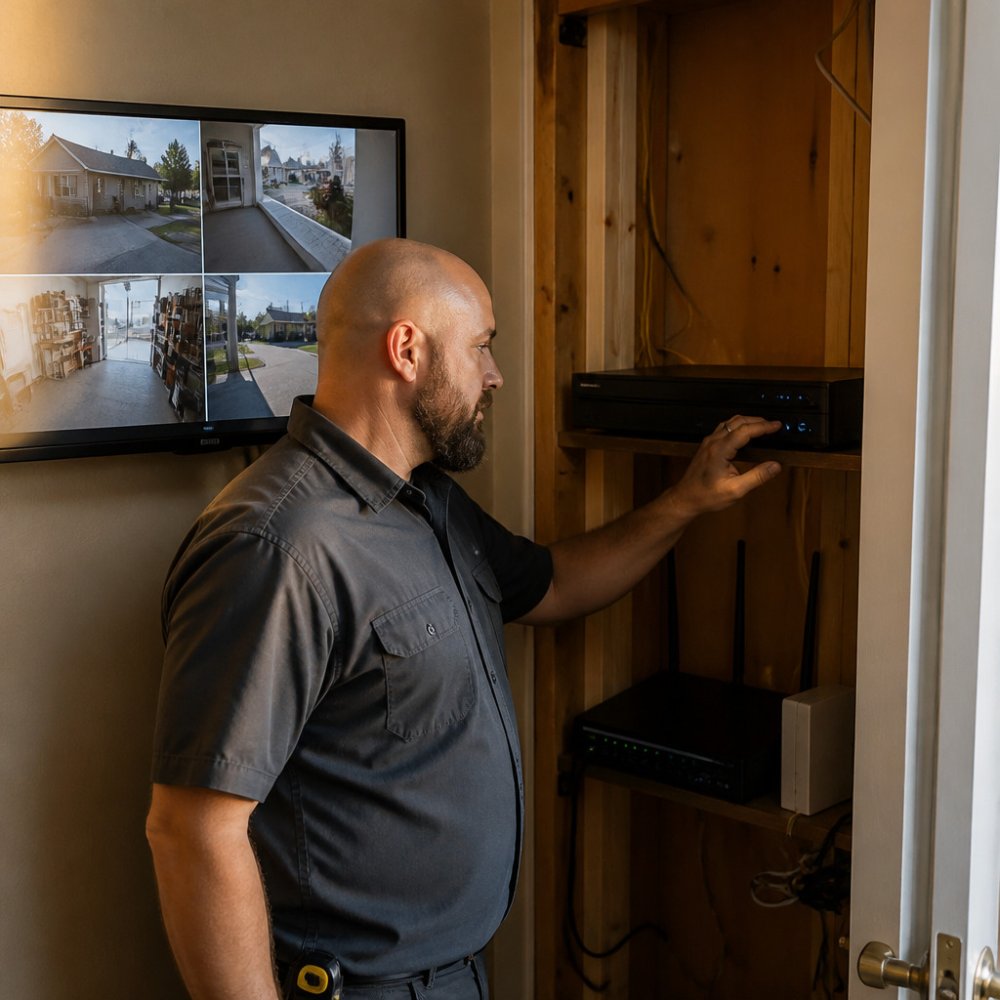
Cloud storage uploads video to an off-site server.
Local storage and cloud storage are two options to consider. A system's ability to operate during power or internet outages depends on its equipment and connection.
!A technician in a work shirt reviews a network video recorder in a closet beside a home network router, with a wall-mounted monitor showing camera feeds
How to Save Security Camera Footage Before It Is Overwritten
When an incident happens, export the clip right away. Waiting can mean the system overwrites the footage.
Follow these steps:
- Note the date, time, and camera that captured the event
- Open the recorder or app and find the clip
- Export the file to a USB drive, computer, or secure cloud folder
- Label the file with the date and a short description
- Save a second copy in a different location
Keep exported footage somewhere access is limited to people who need it. Delete old copies once they are no longer needed, following your own retention policy.
Getting Continuous Footage Coverage for Your Property in Milwaukee
Continuous coverage means your cameras record whenever you need them, without gaps caused by a full drive or a lost connection.
Protection Pros USA provides professionally installed security systems for homes and businesses across the Milwaukee area. For help picking a storage approach, see how many security cameras a house needs.
Call 414-793-8532 or request your free quote at protectionprosusa.com. Our free security assessment has no obligation, and we respond within 24 hours.
Our current offer: a FREE full home security system with a $99 installation charge and a new 36-month monitoring agreement at $72.99 per month.
*$99 Customer Installation Charge. 36-Month Monitoring Agreement required at $72.99 per month.
Frequently Asked Questions
How long do security cameras usually keep footage?
Most security camera systems keep footage for anywhere from a few days to a few weeks, depending on how they record and how much storage they have. Continuous recording fills storage faster than motion-triggered recording, so it often overwrites older footage sooner. Cloud plans commonly keep footage for a set number of days based on the subscription tier. Check your system's settings or your plan details to confirm the exact retention window for your setup.
Do security cameras automatically delete or overwrite old footage?
Yes. Most systems are set to overwrite the oldest recordings once the storage device is full, so new footage replaces old footage on a rolling basis. This is normal behavior and is why footage you may need should be saved or exported soon after an event. Some cloud services also delete clips automatically after the retention period in your plan ends.
How can I save important security camera footage before it is deleted?
Export the clip directly from your DVR, NVR, or camera app as soon as you notice an event, and save it to a separate drive or secure cloud folder. Note the date, time, and camera name so the clip is easy to find later. Acting quickly can help avoid losing footage to overwriting.
What is the best way to add enough storage for my cameras?
Start by counting your cameras and choosing a recording mode, then estimate how many days you want to keep. Higher resolution and higher frame rates use more storage, so match settings to what you actually need to see. Call 414-793-8532 or request a free assessment and quote at protectionprosusa.com to discuss your security needs.