Table of Contents
- Why False Alarms Cost Your Retail Business
- Common Causes of Commercial Alarm False Alarms
- Motion Detector Placement in Retail Stores
- Retail Alarm System Staff Training Checklist
- Retail Security System Maintenance Checklist
- Opening and Closing Procedures to Prevent False Alarms
- Video Verification and Monitoring Response
- Measuring and Tracking Your Progress
- Frequently Asked Questions
Last Updated: October 21, 2026
Why False Alarms Cost Your Retail Business
False alarms drain time, money, and trust. When your security system triggers without a real threat, police respond to nothing. Your staff gets interrupted. The monitoring center logs another incident. Over time, repeated false alarms can lead to response delays on actual emergencies, and some jurisdictions impose fines on businesses with excessive false alarm activity.
For retail owners, false alarms also erode customer confidence. A blaring alarm during business hours sends the wrong message. Employees lose focus. Customers leave. The real cost isn't just the wasted response, it's the operational disruption and the reputation hit.
The good news: most false alarms are preventable. They stem from predictable causes that you can control with the right procedures, sensor setup, and staff training. At Protection Pros USA, your local ADT Authorized Provider through SafeStreets, we've helped retail businesses across Milwaukee and southeastern Wisconsin reduce false alarms retail by addressing these root causes head-on.
Common Causes of Commercial Alarm False Alarms
Understanding what triggers false alarms is the first step to preventing them. Most false alarms fall into a few clear categories.
User error is the leading cause. Staff members forget to disarm the system before opening, or they arm it incorrectly at closing. A door gets propped open during delivery without disarming the alarm.
Motion detector sensitivity is another major culprit. Detectors set too high trigger on dust, air currents, or shadows.
Doors and windows left unsecured cause false alarms when the system expects them to be closed.
Sensor maintenance matters more than many retailers realize. Dust and debris accumulate on motion detectors and door sensors. A dirty lens reduces accuracy. A loose sensor connection causes false readings.
System connectivity or power issues can also trigger false signals. A sensor loses connection to the main panel. A battery runs low. A sensor resets unexpectedly. These technical glitches usually point to maintenance gaps or improper installation.
Motion Detector Placement in Retail Stores
Motion detectors are powerful tools, but placement determines whether they work or create problems. A poorly placed detector triggers constantly. A well-placed one catches real threats and ignores daily activity.
Sensor Sensitivity Settings
Motion detectors have adjustable sensitivity levels. Higher sensitivity catches movement from farther away but also triggers on minor motion like dust or air currents. Lower sensitivity ignores minor disturbances but might miss an actual intruder at the edge of the detection zone.
For retail stores, aim for a middle ground. Set sensitivity high enough to detect a person moving through the space, but low enough to ignore environmental noise. Most detectors have a dial or digital setting ranging from 1 to 10.
Test the sensitivity after setting it. Walk through the space at normal speed. The detector should trigger. Then move slowly or stand still, it should not trigger. If you're getting false alarms, lower the sensitivity one step at a time and retest.
Key settings to verify:
- Motion threshold: set to detect human-sized movement
- Timeout duration: typically 30 seconds to 2 minutes
- Pulse count: number of motion events needed before triggering
Avoiding Objects and Display Items
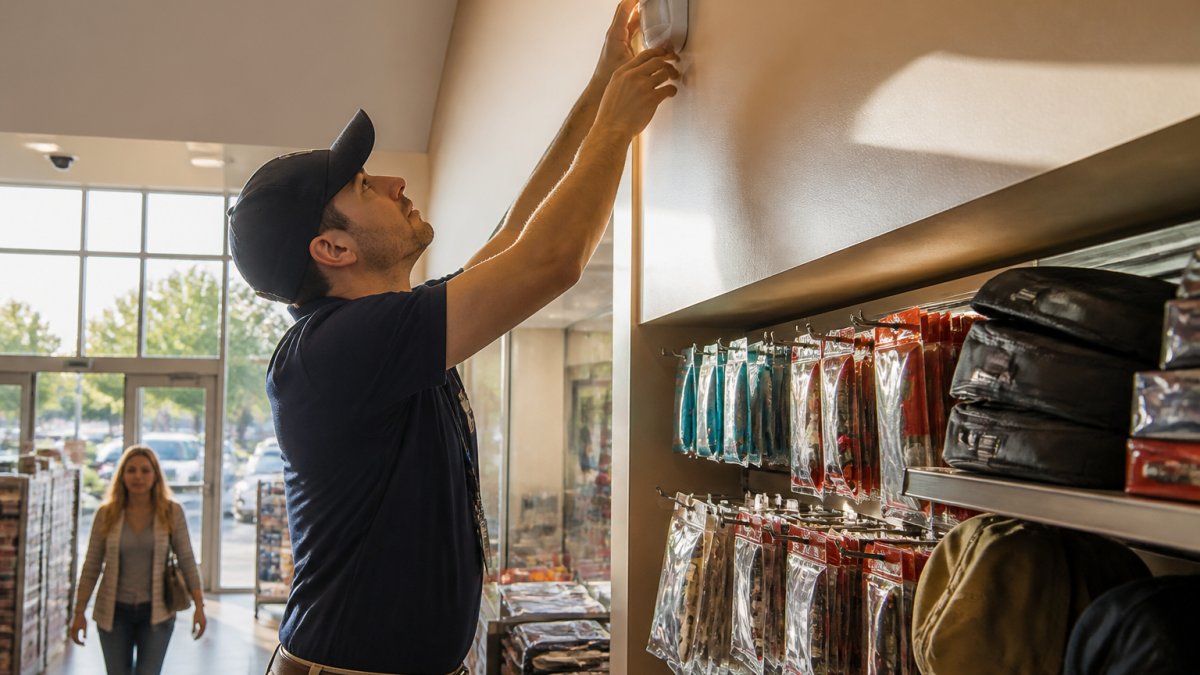
Motion detectors see movement. If something moves near the detector, it triggers. In retail, that means displays, merchandise, fans, and signage can all cause false alarms.
Place detectors away from:
- Ceiling fans or HVAC vents that create air currents
- Hanging signs or merchandise that sway
- Windows where sunlight creates shadow movement
- Areas where customers or delivery people pass directly beneath the detector
Mount detectors high on walls, typically 8 to 10 feet up, and angle them downward. This positioning covers the floor and lower walls while avoiding overhead movement. Avoid corners where air currents concentrate.
In stockrooms or back areas, keep the detector clear of hanging items, shelves, and stray objects. A clean, open space around the detector reduces false triggers.
Retail Alarm System Staff Training Checklist
No system works without trained staff. Even the best equipment fails when employees don't follow procedures. A structured training checklist ensures consistency.
Arming and Disarming Procedures
Every staff member who handles the alarm system needs clear, written procedures. Post them near the keypad.
Opening procedure:
- Unlock the door
- Enter your access code within 30 seconds
- Verify the system shows "Disarmed"
- Check the panel for any fault indicators
- Walk through the space to confirm no unexpected alerts
Closing procedure:
- Conduct a final walk-through to confirm all doors and windows are closed
- Verify no motion is detected
- Arm the system using your access code
- Wait for the system to confirm "Armed"
- Verify the panel shows no faults
- Exit and lock the door
Emergency disarming:
- If an alarm sounds, enter your code to silence it
- Contact the monitoring center to report false alarm status
- Document the cause in the alarm log
Authorized User Access Codes
Limit access codes to essential staff. Each person with a code should have a unique code so you can track who armed or disarmed the system.
Rotate codes annually or when staff leaves. A departing employee's code should be deactivated immediately.
Access code best practices:
- Assign one code per person
- Use 4 to 6 digit codes (avoid obvious sequences like 1234)
- Change codes when staff turnover occurs
- Keep a secure record of who has which code
- Never share codes between employees
Retail Security System Maintenance Checklist
Preventive maintenance catches problems before they trigger false alarms. A simple monthly and quarterly routine keeps your system reliable.
Cleaning and Inspecting Sensors
Dust and debris are silent false alarm triggers. Motion detector lenses get cloudy. Door sensor contacts accumulate grime. Regular cleaning prevents these issues.
Monthly sensor maintenance:
- Wipe motion detector lenses with a soft, dry cloth
- Check door and window sensor contacts for dirt or corrosion
- Verify all sensors are firmly mounted
- Test each sensor manually to confirm it triggers the panel
Quarterly inspection:
- Inspect all wiring for damage or loose connections
- Check battery levels in wireless sensors
- Verify sensor positioning hasn't shifted
- Clean around sensor areas to remove dust buildup
Testing Your System Regularly
A system that hasn't been tested is a system you don't fully trust. Schedule monthly tests to confirm everything works.
Monthly test procedure:
- Notify your monitoring center that you're conducting a test
- Arm the system
- Trigger each sensor one at a time (open a door, walk past a motion detector)
- Verify the panel registers each trigger
- Verify the monitoring center receives the alert
- Disarm the system
- Document the test results
This routine catches sensor failures, connectivity issues, and battery problems before they cause false alarms during actual operation.
Opening and Closing Procedures to Prevent False Alarms
Structured opening and closing routines eliminate the majority of false alarms. These procedures take minutes but prevent hours of disruption.
Securing All Doors and Windows
Before arming the system, verify every entry point is secure. A door left slightly ajar or a window latch not fully engaged triggers the sensor.
Pre-closing checklist:
- Walk through the entire space
- Check all exterior doors: locked and fully closed
- Check all windows: latched and fully closed
- Verify back doors and side exits are secured
- Confirm delivery bay doors are closed
- Check roof access doors if applicable
- Verify alarm sensors on each door show "Closed" status on the panel
Take time here. A 2-minute walk-through prevents a false alarm later.
Verifying System Status Before Leaving
Before you leave, confirm the system is armed and ready.
Final verification before departure:
- Check the panel display: confirm "Armed" status
- Verify no fault indicators are showing
- Listen for any beeping or warnings
- Confirm all zone lights on the panel are green
- Exit through the main door and lock it
- Wait 30 seconds to confirm no alarm sounds
If the panel shows a fault or any zone is not ready, address it before leaving. A fault left unresolved can cause a false alarm when the system fully activates.
Video Verification and Monitoring Response
ADT's video verification capability reduces false alarm response costs and speeds up real emergency handling. When your system triggers, the monitoring center can view live camera footage to confirm whether a real threat exists.
With video verification, a monitoring center operator sees what's happening in your store before dispatching police. If a motion detector triggers but the video shows nothing, the operator can cancel the dispatch. If a real break-in is occurring, the operator confirms it and dispatches police immediately.
This technology is especially valuable for retail businesses where motion detectors can trigger on legitimate activity. It cuts unnecessary police responses while ensuring real emergencies get fast attention.
Protection Pros USA can integrate Google Nest cameras with your ADT system. The cameras feed into the monitoring center's verification system, giving operators instant visual confirmation.
Measuring and Tracking Your Progress
You can't improve what you don't measure. Track false alarms by date, time, cause, and sensor to identify patterns.
What to log:
- Date and time of alarm
- Which sensor triggered it
- Whether it was a false alarm or real threat
- Root cause (if known)
- Who was on duty
- Any corrective action taken
Review your log monthly. Look for patterns. If the back door sensor triggers repeatedly at 6 PM, investigate why.
Use these patterns to retrain staff, adjust sensor settings, or fix maintenance issues.
A professional security provider like Protection Pros USA can review your alarm logs with you and recommend specific adjustments to reduce false alarms retail.
Ready to stop false alarms and get reliable security for your retail store?
Protection Pros USA offers a free security assessment for retail businesses. We also provide professional installation, staff training, and 24/7 ADT monitoring through our local team.
Claim our current offer: a free full home security system with a $99 installation charge and a new 36-month monitoring agreement at $72.99 per month.
Call 414-793-8532 or request your free quote at protectionprosusa.com. We respond within 24 hours and offer a free in-home security assessment with no obligation.
*$99 Customer Installation Charge. 36-Month Monitoring Agreement required at $72.99 per month ($2,627.64).
Frequently Asked Questions
What is the most common cause of false alarms in retail stores?
User error is the leading cause of false alarms in retail. Staff members forget to disarm the system before opening, accidentally trigger motion detectors while restocking, or fail to fully close and latch doors and windows before arming. Proper training and clear opening/closing procedures eliminate most of these incidents. A professionally installed alarm system with video verification can also catch these errors before dispatch occurs.
How can video verification help reduce false alarm dispatches?
Video verification allows your monitoring center to view live camera footage when an alarm is triggered. A trained operator can confirm whether the alert is a genuine break-in or a false alarm caused by staff movement, stray objects, or sensor sensitivity issues. This verification step prevents unnecessary police dispatch and associated fines. ADT's 24/7 monitoring centers use video verification to respond faster and more accurately to retail alarms.
How often should a retail alarm system be tested?
Test your retail alarm system monthly to ensure all sensors, door contacts, and motion detectors are functioning correctly. Monthly testing catches sensor drift, battery issues, and connectivity problems before they cause false alarms. Document each test in your alarm log to identify patterns. Coordinate testing with your monitoring center so they know it's a drill and don't dispatch emergency services.
What should staff do when a retail alarm is triggered accidentally?
When an accidental alarm occurs, immediately disarm the system using the correct access code and notify your monitoring center if they've already been alerted. Document the incident in your alarm log, noting the time, cause, and staff member involved. Review the incident during your next staff meeting to prevent repetition. If false alarms continue from the same trigger, contact your security provider to adjust sensor sensitivity or placement.